![1512632091642-p-500.png]](https://help.consignorconnect.com/hs-fs/hubfs/1512632091642-p-500.png?width=131&height=50&name=1512632091642-p-500.png)
Still on Classic Rose? See the Classic Rose steps.
The Sales by Consignor report: what each consignor sold between two dates, with fees and their share.
Run the report
- Open Menu → Reports.
- In PERIOD REPORTS, pick Sales by Consignor.
- Set the START DATE and FINISH DATE (both included).
- Press VIEW / PRINT.
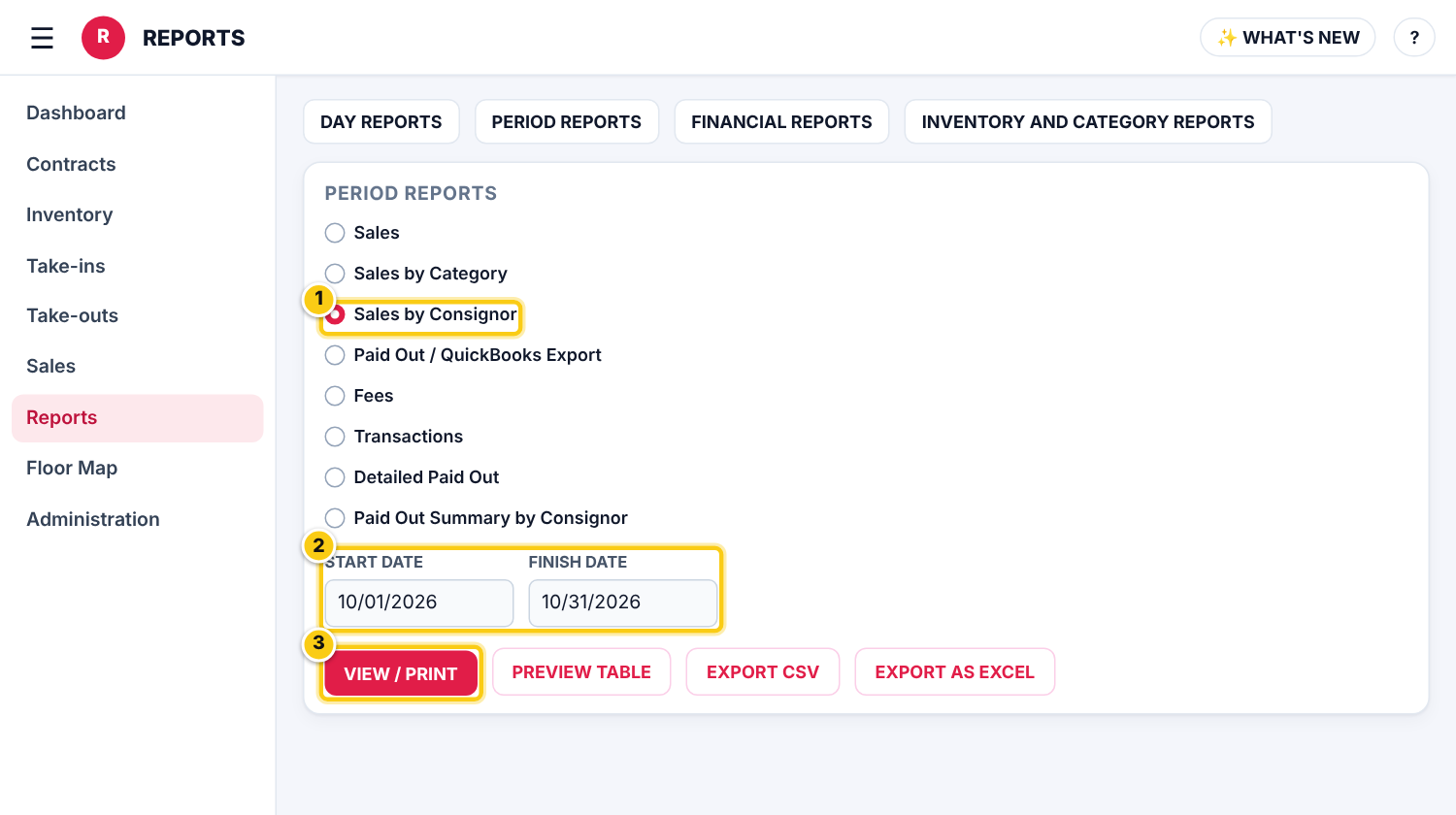
(1) Sales by Consignor, (2) the dates, (3) VIEW / PRINT.
Print it or open it in a spreadsheet
- VIEW / PRINT opens the report as a PDF to print or save.
- PREVIEW TABLE shows it on screen.
- EXPORT CSV downloads the data with the consignors’ contact details for Excel or Google Sheets; EXPORT AS EXCEL saves the printed report as an Excel file in your File Manager.
Who can do this (user rights)
| Right in User Maintenance | What it allows | Who has it at first |
|---|---|---|
| Reports | Shows Reports in the menu. | Users with Reports ticked in User Maintenance |
Questions
Can I put it in a spreadsheet?
Yes. Press EXPORT CSV instead of VIEW / PRINT.
I need every item sold, not totals per consignor.
Pick Sales in PERIOD REPORTS for every item sold in the dates, or Sales by Category for totals per category.
Still stuck? Ask Rosebot (the bubble at the bottom right of Rose and myPortal) or contact Consignor Connect support.