![1512632091642-p-500.png]](https://help.consignorconnect.com/hs-fs/hubfs/1512632091642-p-500.png?width=131&height=50&name=1512632091642-p-500.png)
Still on Classic Rose? See the Classic Rose steps.
In each screenshot, the yellow boxes show what to click. Numbers give the order.
Overview
Make a consignor's or vendor's account inactive when they stop consigning with you. An inactive account stays in Rose with all its history, but it's hidden from the contract list, and the consignor can no longer sign in to myPortal. You can make it active again at any time.
Where to find it: Dashboard › menu (☰) › Contracts › select the contract › ALTER.
Step 1: Open Contracts
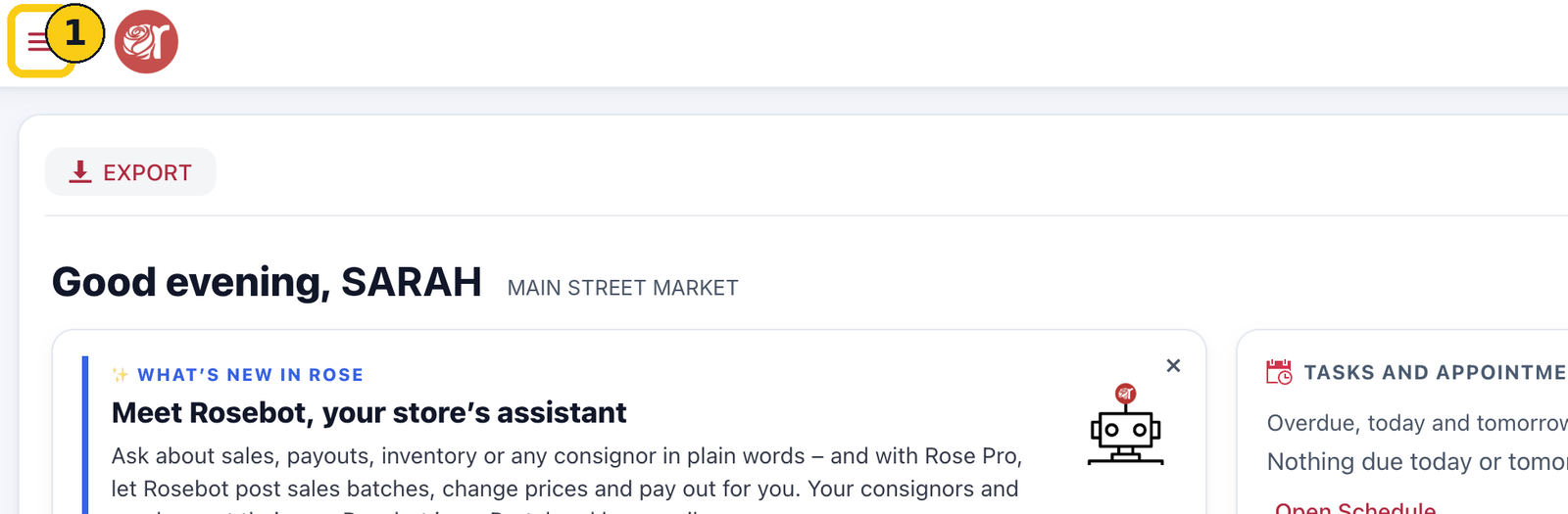
1. On your Dashboard, click the menu icon (☰) in the top-left corner.
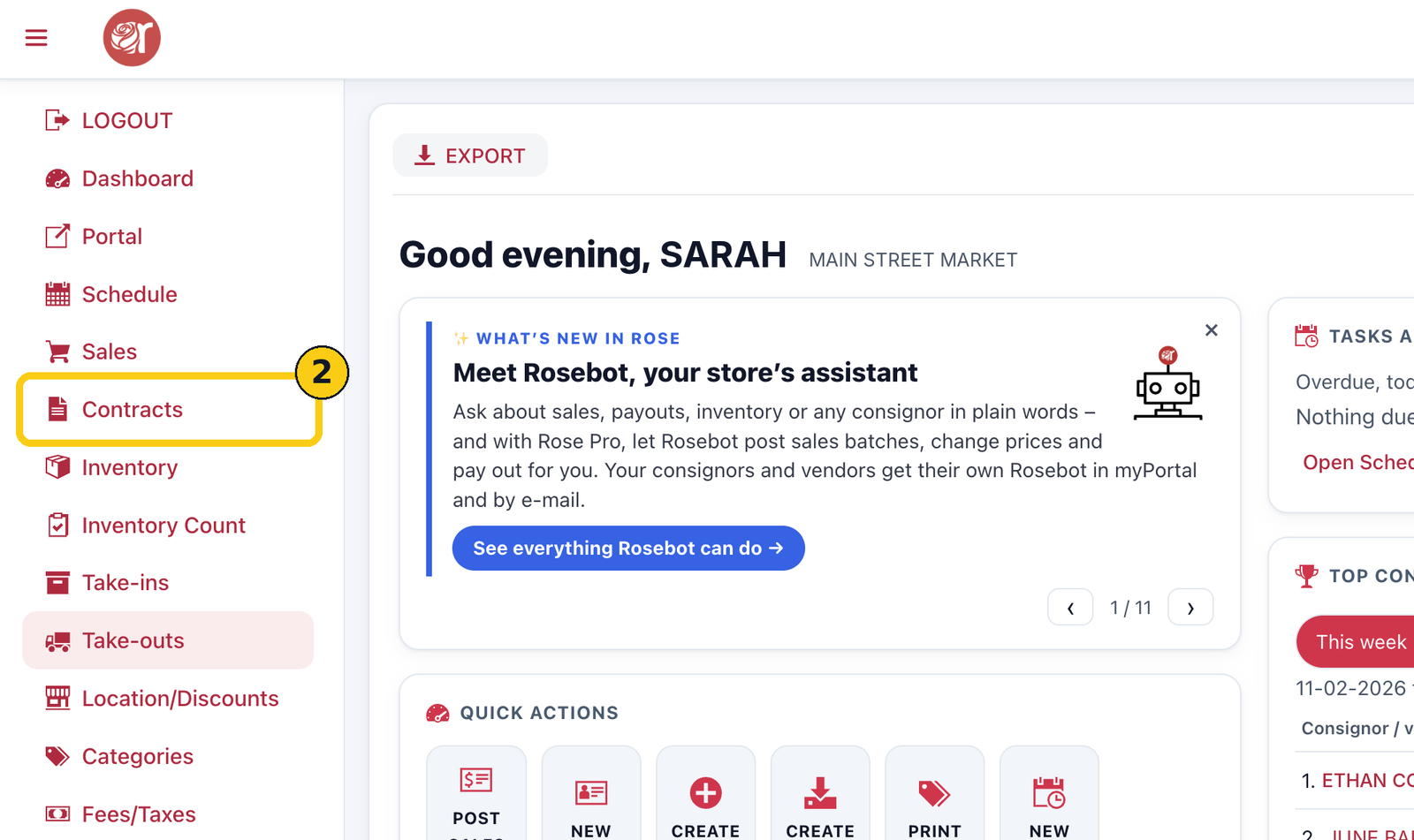
2. Click Contracts.
Step 2: Select the contract
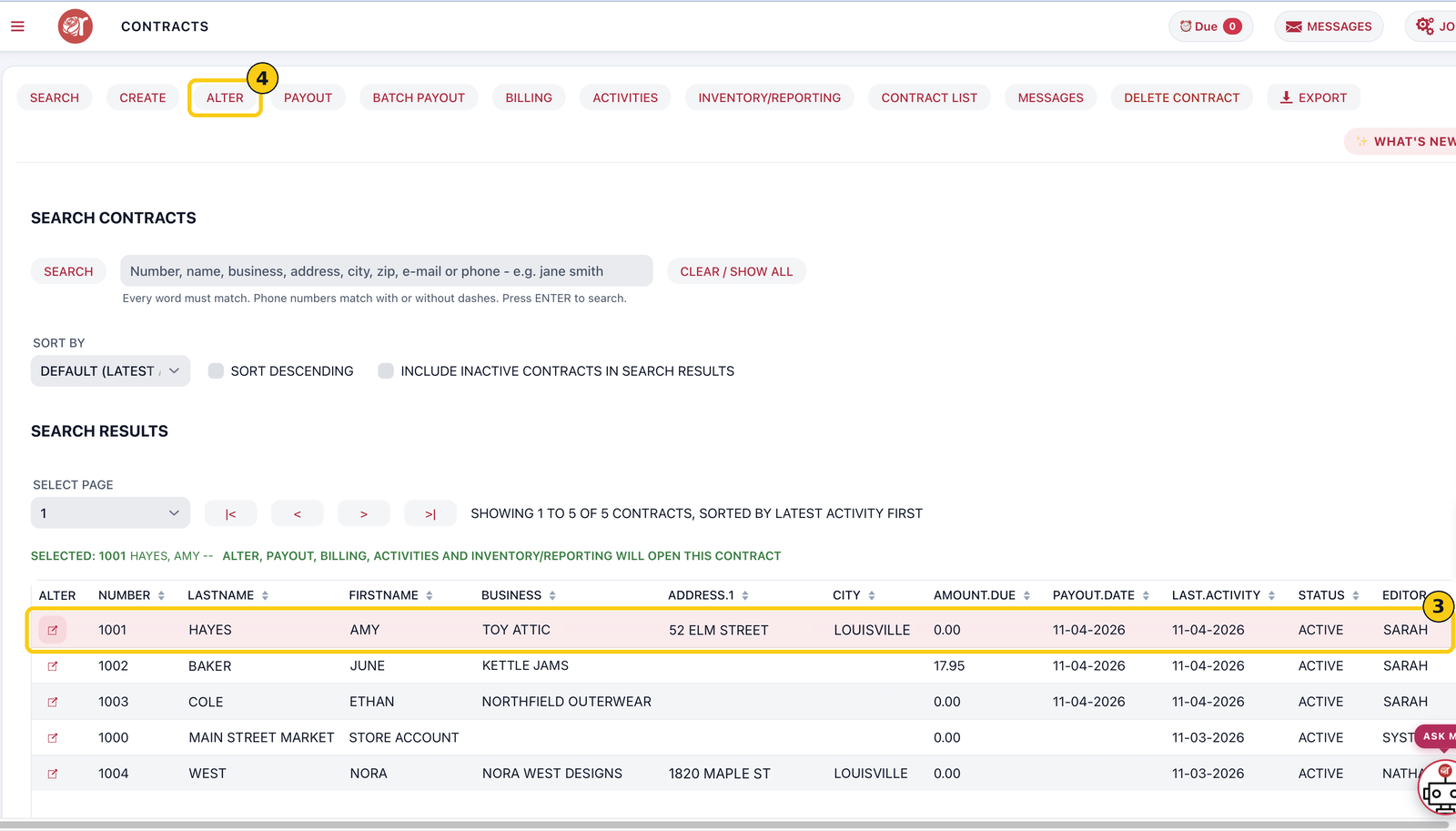
3. Search for the consignor or find them in the list, and click their row. The green line confirms which contract is selected.
4. Click ALTER.
Step 3: Make it inactive
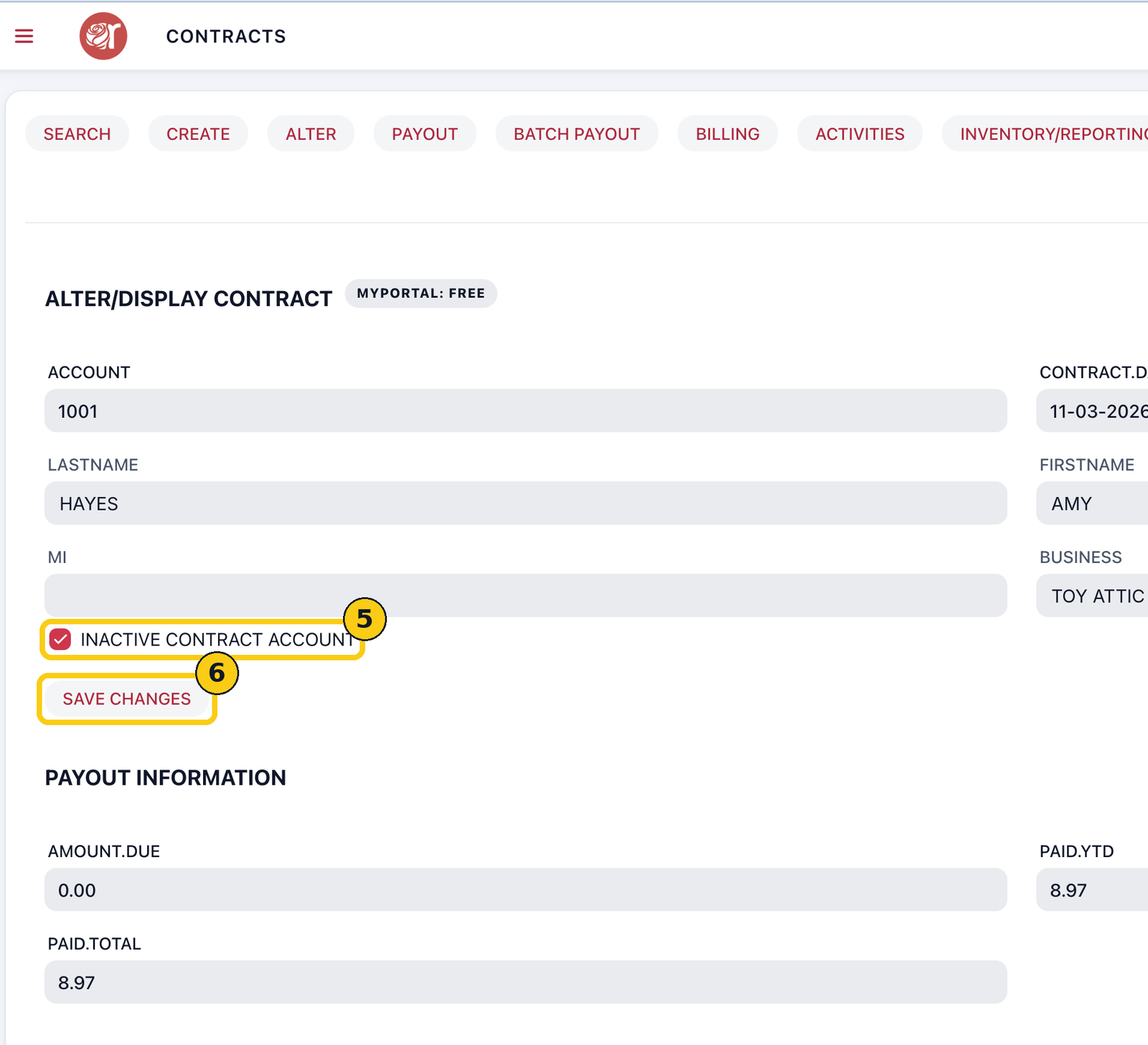
5. Tick INACTIVE CONTRACT ACCOUNT.
6. Click SAVE CHANGES.
The account is now inactive:
- It no longer shows in the contract list or search results.
- The consignor can't sign in to myPortal. If they try, they won't get in until you make the account active again.
- Its sales, payouts and history stay in Rose and in your reports.
Before you make an account inactive, check its AMOUNT.DUE is 0.00, so the consignor has been paid everything they're owed.
Find or reactivate an inactive account
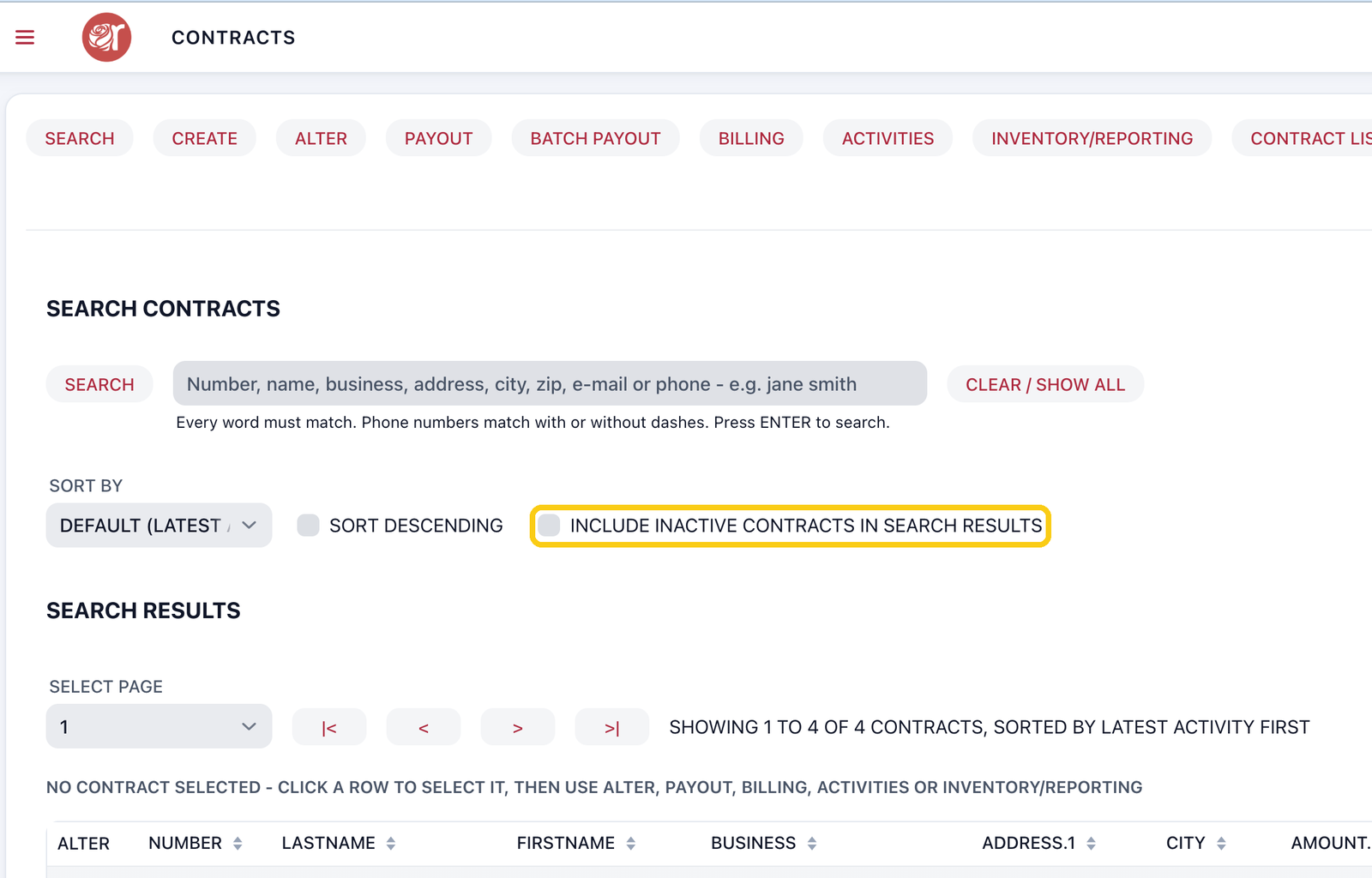
1. On the Contracts screen, tick INCLUDE INACTIVE CONTRACTS IN SEARCH RESULTS, then search.
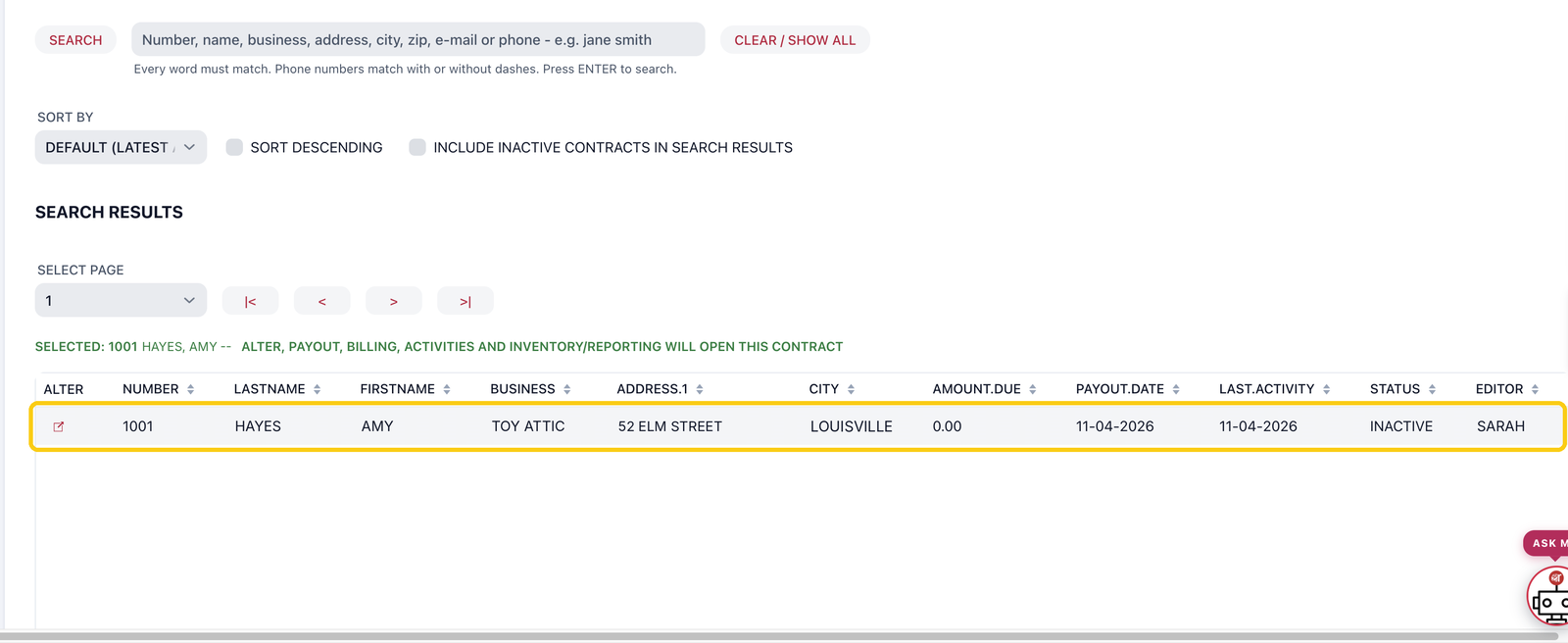
2. The account shows with INACTIVE in the STATUS column.
3. To make it active again, select it, click ALTER, untick INACTIVE CONTRACT ACCOUNT and click SAVE CHANGES. The consignor can sign in to myPortal again.
FAQ
Does making an account inactive delete it?
No. Everything stays in Rose. To remove a contract completely, use DELETE CONTRACT instead.
What happens if an inactive consignor tries to sign in to myPortal?
They can't sign in. Make the account active again to give them access.
Can I still see their old sales in reports?
Yes. Reports include sales and payouts from inactive accounts.