![1512632091642-p-500.png]](https://help.consignorconnect.com/hs-fs/hubfs/1512632091642-p-500.png?width=131&height=50&name=1512632091642-p-500.png)
Send your welcome e-mail with a one-time SET UP MYPORTAL link to everyone who hasn’t set up myPortal yet - or just a few - with one reminder. It sends in the background.
Get the e-mail ready (Rose)
- Check the wording in Administration → SETTINGS → CONSIGNORS → CONSIGNOR ONBOARDING E-MAIL.
Invite everyone (or a few) (Rose)
- Open Menu → Contracts and press INVITE TO MYPORTAL.
- SHOW filters the list (NOT SET UP, NOT INVITED, INVITED, NO E-MAIL ...). The MYPORTAL column shows where each account is.
- Choose Everyone who hasn’t set up myPortal yet or Only the ticked contracts; tick consignors and/or vendors and pick HAD ACTIVITY IN THE LAST.
- Leave Send one reminder ... ticked and pick the days, and Skip anyone invited in the last 14 days.
- Press PREVIEW THE E-MAIL and SEND A TEST TO ME, then SEND.
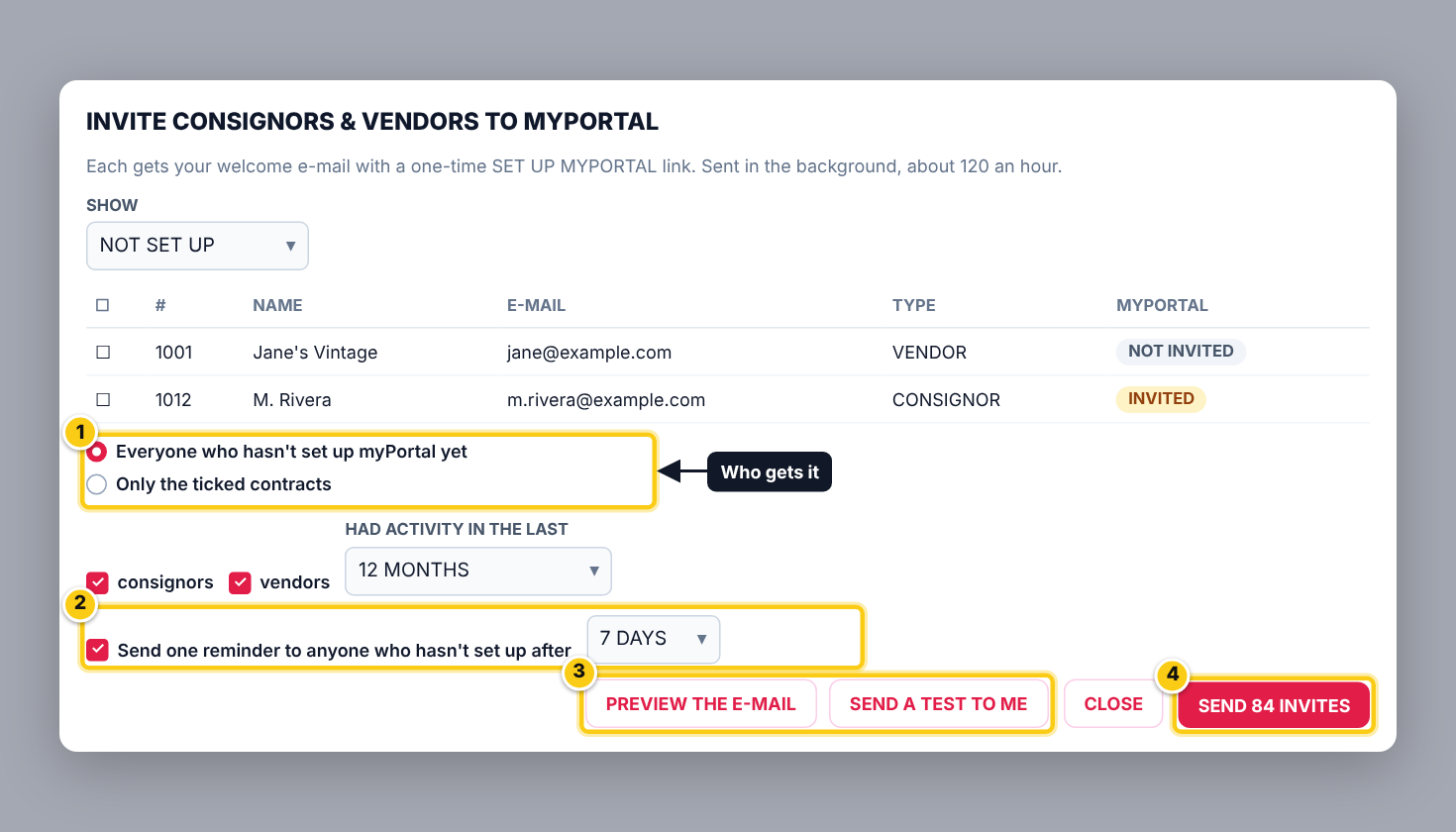
(1) who to invite, (2) one reminder, (3) preview and test, (4) SEND.
- About 120 e-mails go out an hour; you can close Rose.
- Follow progress, PAUSE, RESUME or stop in Administration → SETTINGS → MYPORTAL (OPEN INVITES).
- Anyone who sets up myPortal before their e-mail or reminder is skipped.
Invite one person (Rose)
- Open the contract, ALTER → MYPORTAL AND E-MAILS → SEND ONBOARDING E-MAIL. The sign-in link works for 72 hours; sending again replaces it.
Who can do this (user rights)
| Right in User Maintenance | What it allows | Who has it at first |
|---|---|---|
| Contracts | INVITE TO MYPORTAL. | Users with Contracts ticked |
| Administration and Subscription Plans | Opens Administration → SETTINGS. | Users with Administration ticked in User Maintenance (normally administrators) |
Questions
Why can't I send invites?
A store still on preview can send invites once it goes live.
Someone says the link doesn't work.
It works once, for 72 hours. Send them a new one from their contract.
Still stuck? Ask Rosebot (the bubble at the bottom right of Rose and myPortal) or contact Consignor Connect support.